

 QTP Arena
Features
Every part of the pad,one idea at a time.
A deep dive into what Hotkey Trader does next to the Tradovate web trader, with screenshots captured from the extension on demo accounts.
Button reference
What each button does
| Button | In one tap |
|---|---|
| Buy / Sell market | Enters with your whole exit plan attached. The ATM you picked goes out with the order: several targets and a runner, a stop, then break-even, lock and a ratcheting trail that move those orders for you as price runs. |
| Buy bid / Sell ask | Joins the bid or ask, ATM included. Plus an offset in ticks if you want one. The brackets go on the moment it fills. |
| Buy / Sell limit | A limit a set distance from the last price. Dial the points on the pad once. No hunting for a price level on the DOM. |
| Breakout OCO | Both sides of the range in one tap. A buy stop above and a sell stop below as one OCO. The side that fills gets your ATM, Tradovate cancels the other, and if a stop can’t be placed the position is closed. |
| Partial close | Takes some off and keeps the rest covered. Two buttons (25% and 50% by default). The stop and target legs shrink first, furthest targets first, so the brackets always match what you still hold. |
| Break even | Stops to entry, plus your ticks. Every stop on the position moves at once. It refuses if price isn’t far enough in profit yet, so it can’t stop you out by accident. |
| Modify SL / TP | Nudge all stops or all targets. A set number of ticks per tap. A stop never moves through the market and a target never lands behind it. |
| Reverse position | Flips you, then re-arms the exit. Flattens, waits until you’re flat, then enters the other way with your ATM attached. |
| Close / flatten | Out, and nothing left behind. Closes the position and cancels the bracket legs it leaves. Cancel, next to it, pulls only your entry orders and leaves the brackets protecting an open trade. |
ATM builder
Build the exit once. Test it before it trades.
Split by contracts or percent, add targets and a runner, then stack the stop rules. The simulator draws where the stop sits as profit grows, so you see the plan before a single order goes out.
- Break-even at a profit, or after a target fills
- Lock steps and trail steps, each with its own trigger
- “Move target” keeps targets ahead of a trailing stop
- Presets included, from a one-target scalp to the 50-pt ladder
- Price view (default) reads like your chart; Profit view on request
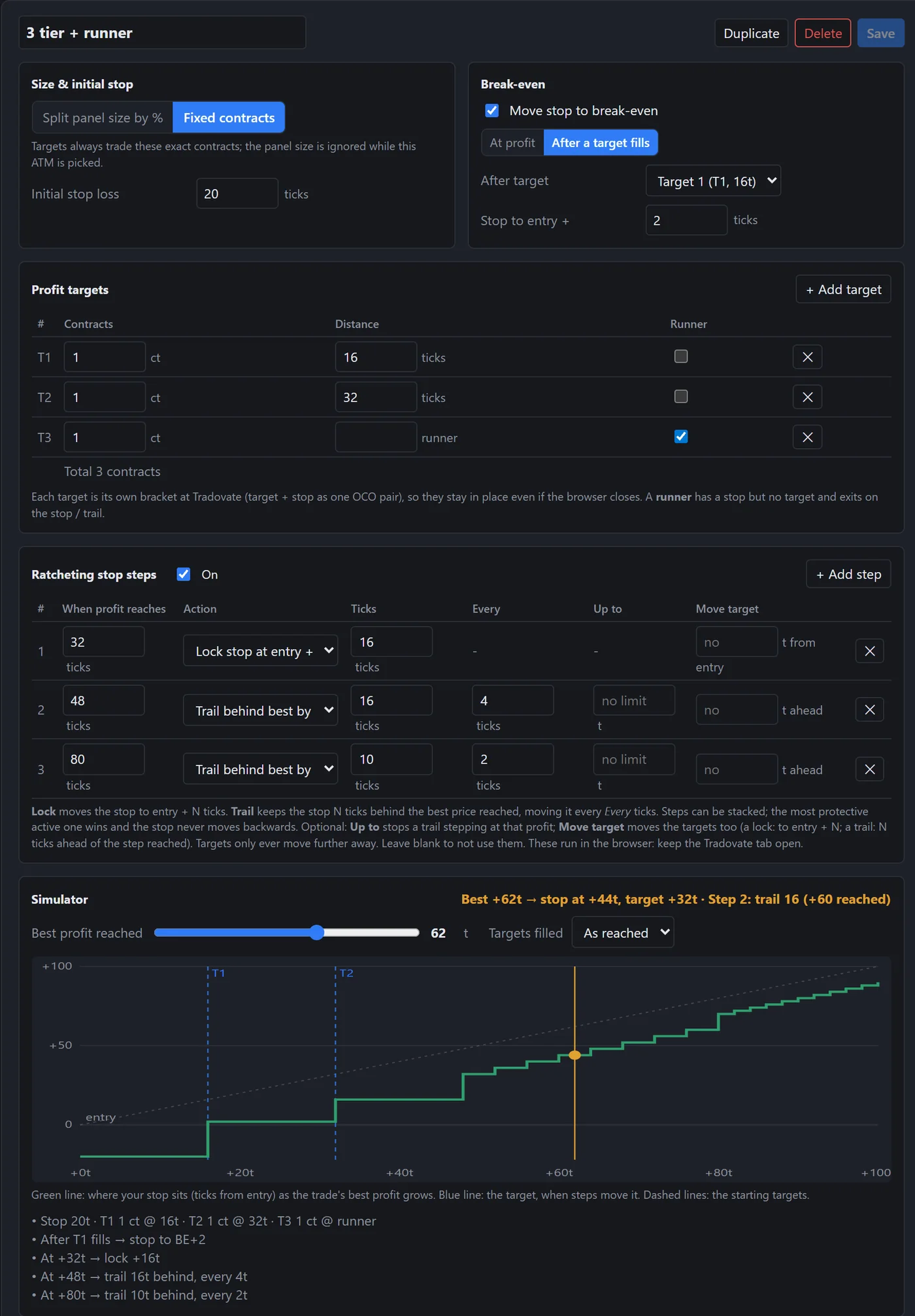 Settings · ATM Strategies
Stop simulator
Every step, before you trade.
Each ATM opens in a step-by-step simulator in points and $ per contract, so you know exactly where the stop will sit at every stage of the trade.
- A Long’s stop climbs, a Short’s steps down
- Every trigger and stop move listed in a table
- Same view for your own ATMs and Live-Fit plans
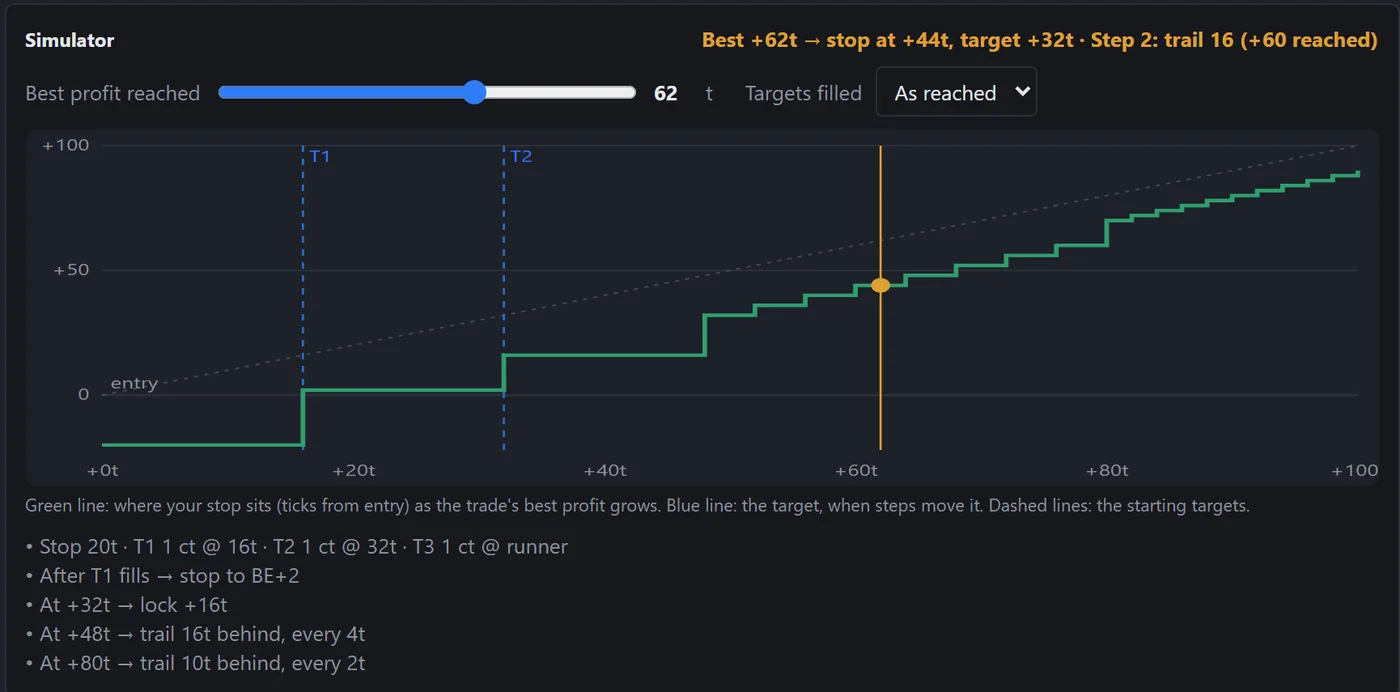 Example values · demo data
Breakout OCO
Both sides of the range, one tap.
The orange button places a buy stop above and a sell stop below the last price as one OCO. When one fills, Tradovate cancels the other, and your ATM’s brackets go on the filled side.
- Distance set with the Breakout pts dial (5 pts default)
- Stop-limit cushion (4 ticks by default) caps how far past the trigger you fill
- If a stop can’t be placed, the position is closed
- Pending card with both levels and a ✕ to cancel
- For new entries only: in a trade it says so and sends nothing
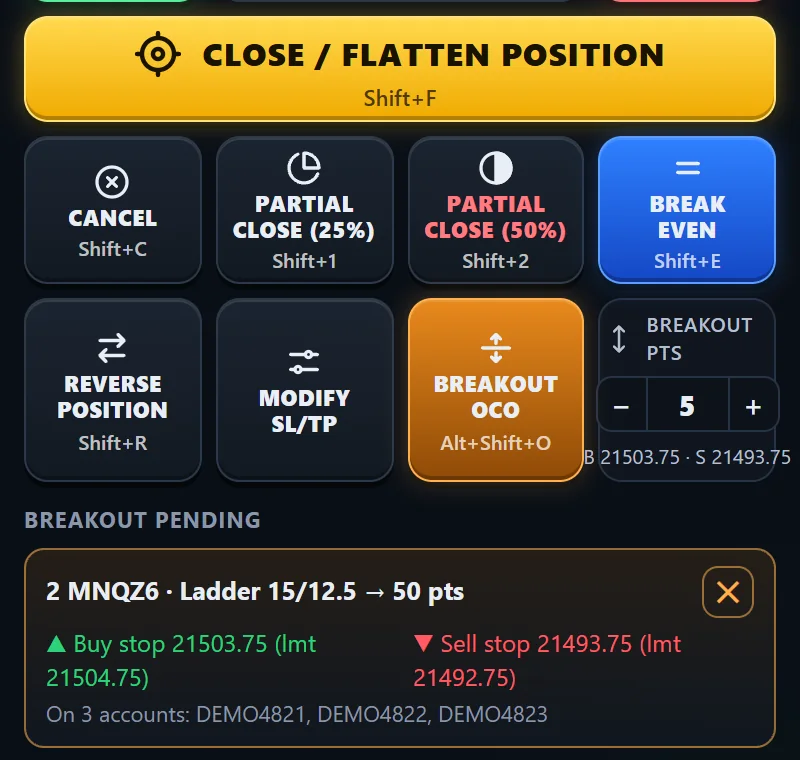 Demo account · simulated prices
Copy trading
Copy the ATM, not just the entry.
Tick the accounts on your Tradovate login and switch Copy on. Each one gets its own order and its own ATM bracket, break-even and trailing, from any button on the pad.
- Close, Cancel, partials, Reverse and SL/TP moves copy too
- The balance lock watches every copy account on its own
- Pro copies to 1 follower account, Pro+ to up to 10
- Many prop firms restrict copy trading. Check their rules first.
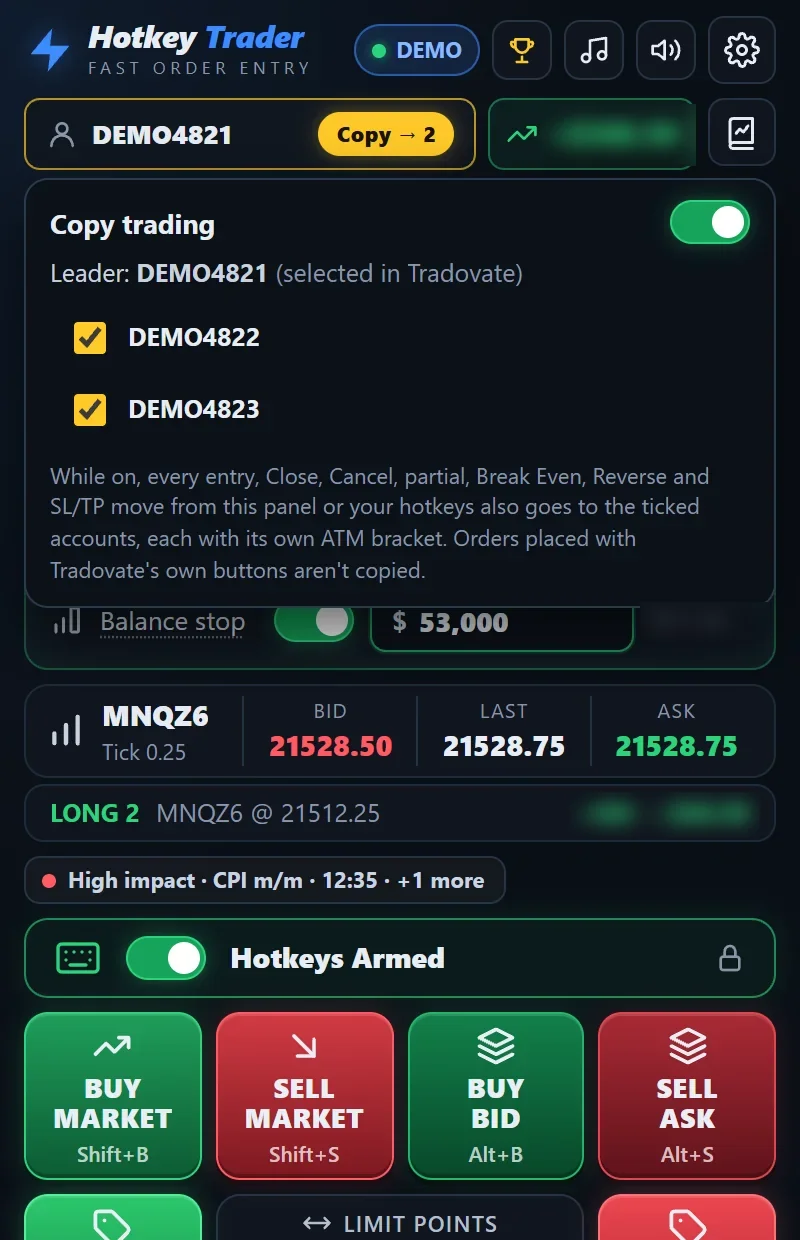 Demo accounts
Trade journal
Find out which ATM fits how you trade.
Every round trip is recorded from its fills, with the ATM, how you entered and how it ended. Then it’s sliced the ways traders ask about.
- Results per ATM, hour, session, weekday and market regime
- Best open profit vs result (MFE / MAE)
- Calendar, notes, tags, ratings, CSV export
- Import older trades from Tradovate
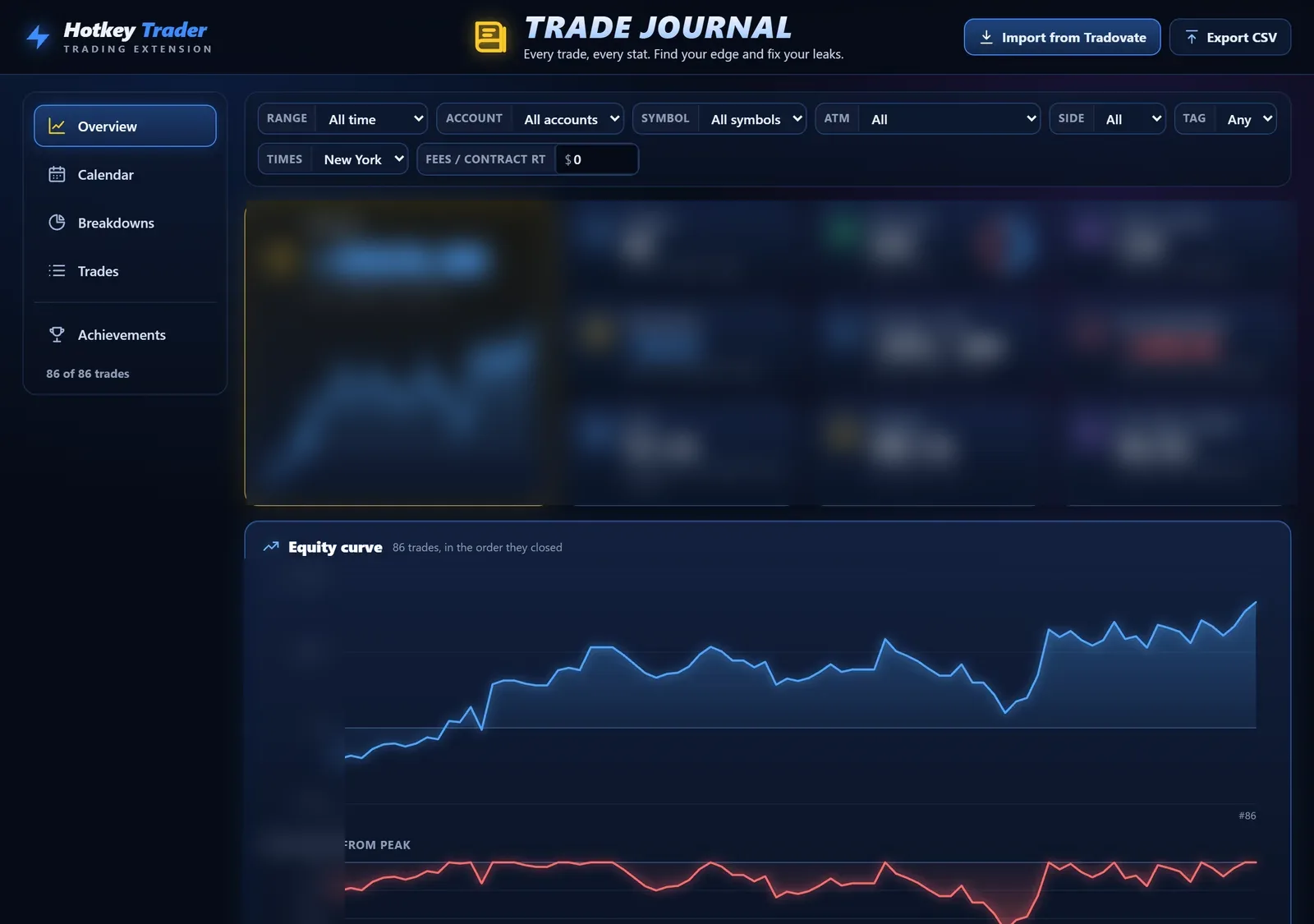 Demo data · figures blurred
Achievements
Reward the habits, not just the result.
Achievements for green days, loss control, consistency, comebacks and clean execution, all computed from your journal. XP sets your Trader Level and unlocks page themes.
- 300 achievements
- 7 tiers, Bronze to Mythic
- 32 daily and weekly challenges in rotation
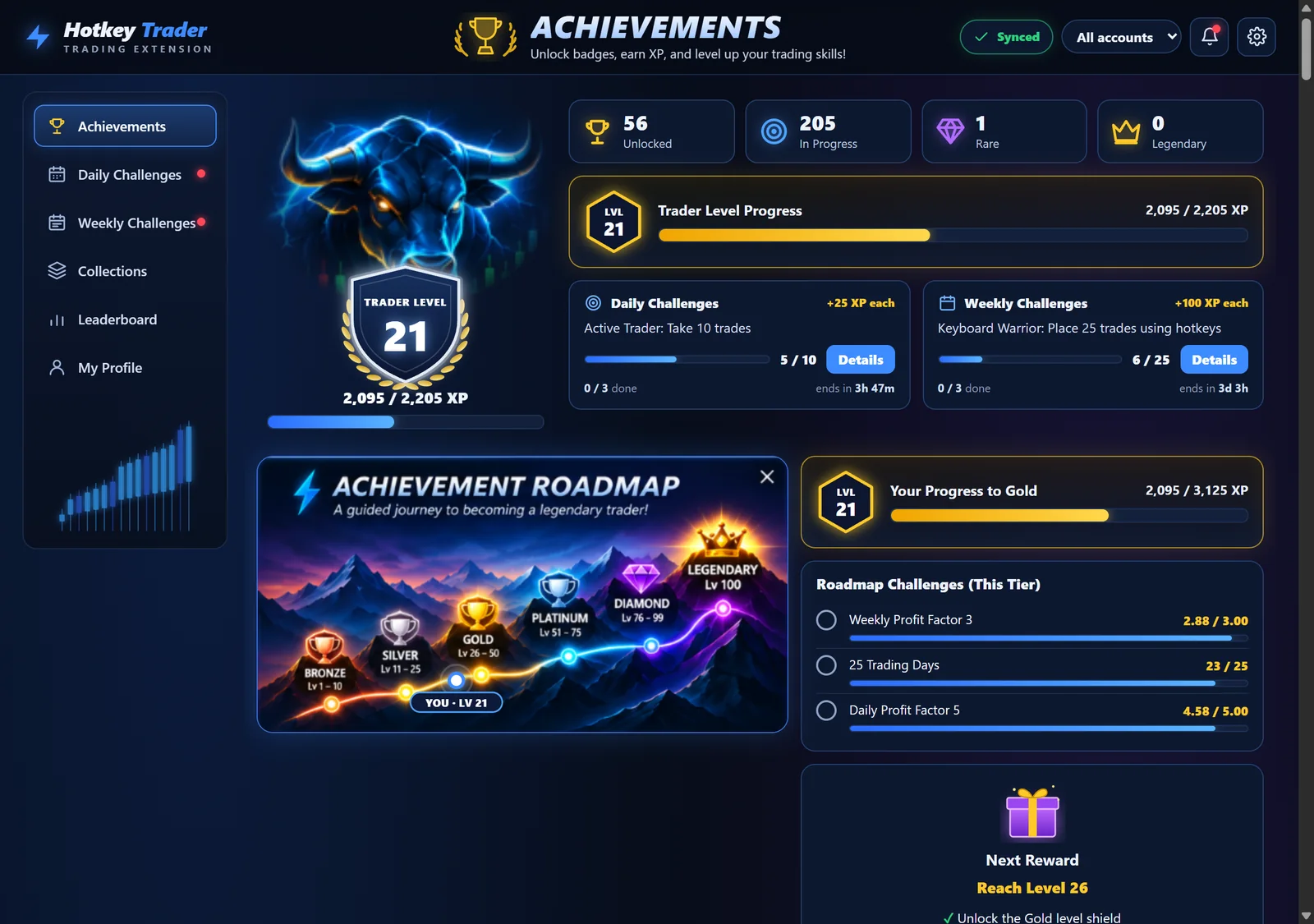 Demo data
Keyboard shortcuts
Prefer the keyboard? It’s there too.
Every button on the pad also has a shortcut, and you choose which. They work anywhere on the Tradovate page, only while armed, and do exactly what the button does.
- 25 mappable actions, 19 with defaults
- Holding a key down never fires twice
- Per-order contract cap (10 by default)
- Browser shortcuts like Ctrl+W are protected
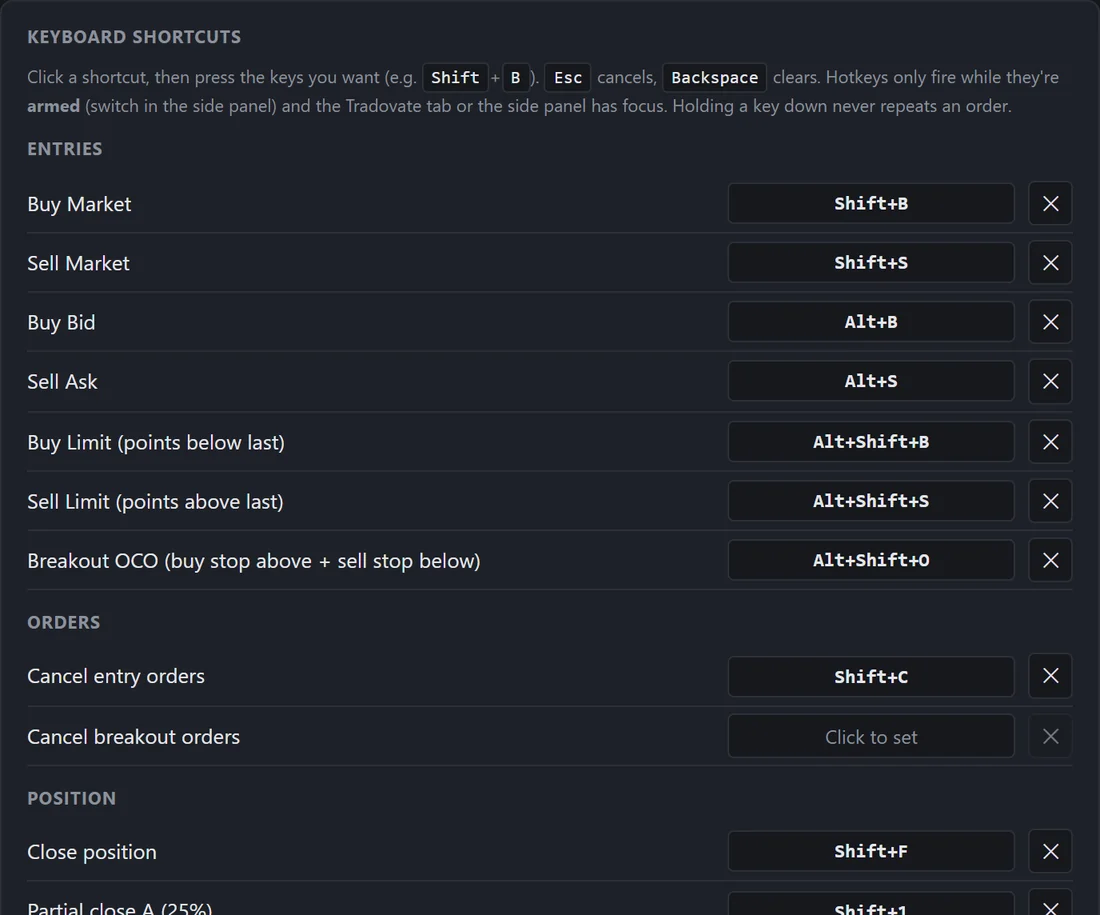 Settings · Hotkeys
Built for prop traders
Rules you set before the trade, enforced during it.
Evaluation and funded accounts live or die by a few numbers. Hotkey Trader keeps them in front of you and acts on them, without blocking anything you didn’t ask it to.
- Profit cap and balance lock with a resting exit order at your number
- Status line: how far you are from the lock and where the exit order sits
- Journal shows “Balance lock” / “Profit cap” as the exit reason
- The lock stays on this computer: synced settings can’t change it
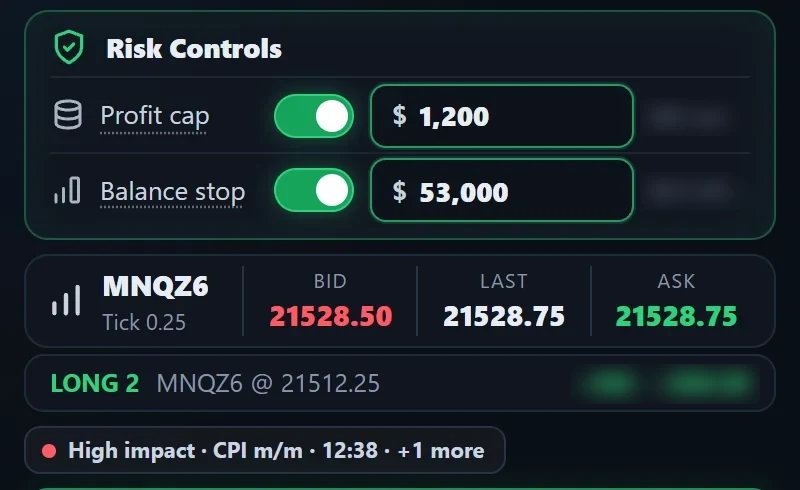 Demo account · simulated prices
Safety
Live trading stays off until you allow it.
Orders on a LIVE Tradovate session are blocked until you switch on “Allow live trading” in Settings, and a per-order contract cap applies to every route an order can take.
- Demo first, live on purpose
- Max contracts per order
- If a plan ends, Close, Flatten and Cancel keep working
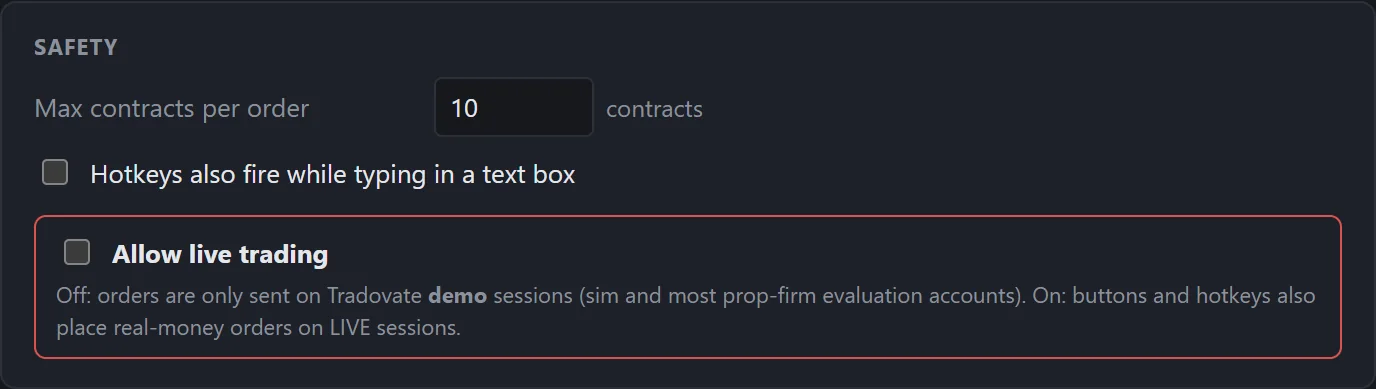 Settings · Safety
For streamers and trading rooms
Give your community a scoreboard.
Start a private group, share the invite code, and run competitions with real rules. Results come from synced journal trades, not screenshots.
- Competitions with exact windows: start and end date, time and time zone
- Rules that are checked: instruments, max contracts, Hotkey Trader entries only, minimum trades
- Winners and prizes: choose how many places win
- Moderation: owners promote leaders, remove or ban members
- Discord posts of each closed trade, opt-in
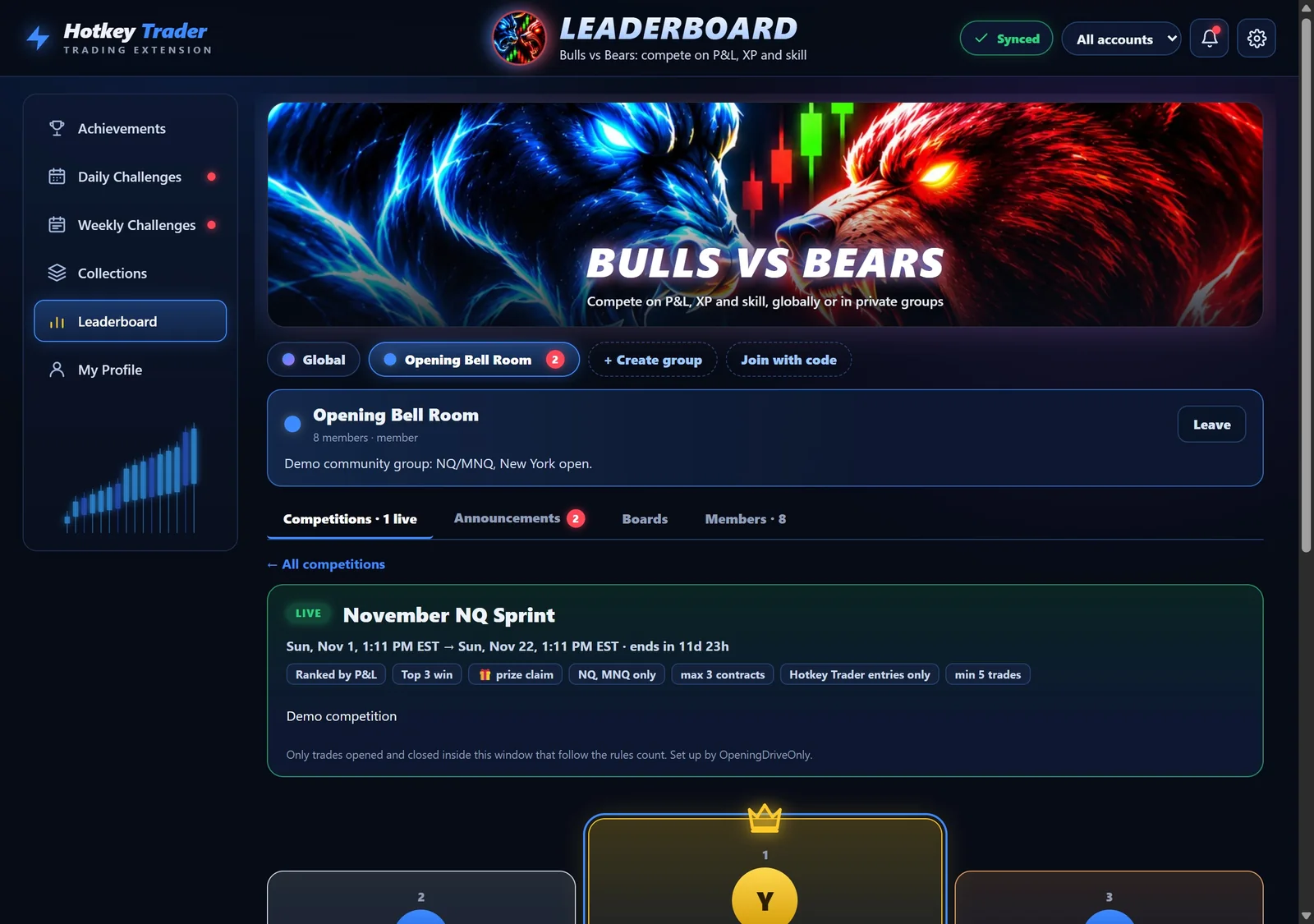 Demo group · demo traders
Try every feature free for 8 days
Pro and Pro+ start with an 8-day free trial. Copy to 10 accounts, groups and Live-Fit are Pro+.
Risk disclosure. Futures trading involves substantial risk of loss and isn’t suitable for every investor. Hotkey Trader is a software tool, not a broker or adviser, and gives no trading advice. Screens show demo accounts with simulated prices; nothing here is a promise of results. Not affiliated with Tradovate or NinjaTrader. Full risk disclosure.