

 QTP Arena
Live-Fit ATM · Pro+
Stops sized totoday’s market.
A fixed ATM uses the same distances on a quiet morning and a wild one. Live-Fit doesn’t. Press Re-tune and it reads how the market is moving right now, then fits your stop, steps and target to that.
In the extension: Settings → ATM Strategies → Live-Fit Ladder or Live-Fit Trail. Included in Pro+ and Founders.
How it works
Read, fit, and you trade.
Read the market
Re-tune reads the last 20 one-minute candles of your chart’s instrument and the regime: how much it’s moving, and which way.
Fit the plan
It sizes the stop, the ladder steps (each one a trigger and where the stop moves, break-even first) and a target, or lets it run. Live-Fit Trail fits a trail distance instead. Long and Short each get their own plan.
You pick the entry
You still trade by hand. Live-Fit shapes the exit; it never enters a trade for you.
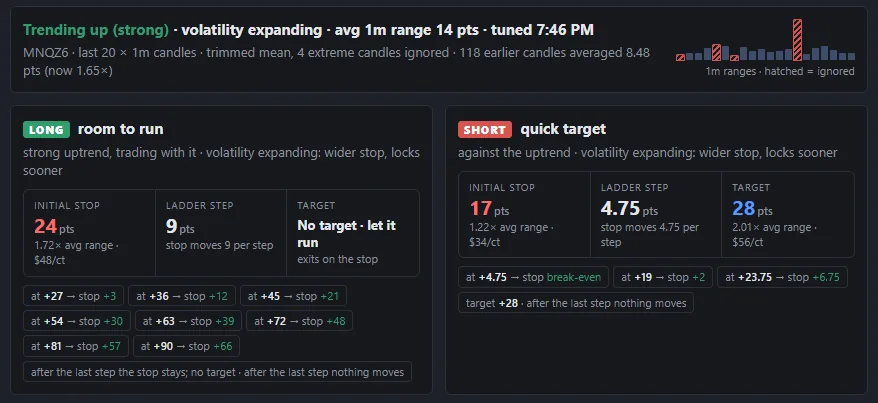 Example values · demo data
Simulator
Every step, before you trade.
The plan opens in the same step-by-step simulator as your other ATMs, in points and $ per contract. Price view is the default and reads like your chart: a Long’s stop climbs, a Short’s steps down. Prefer profit? Switch to Profit view.
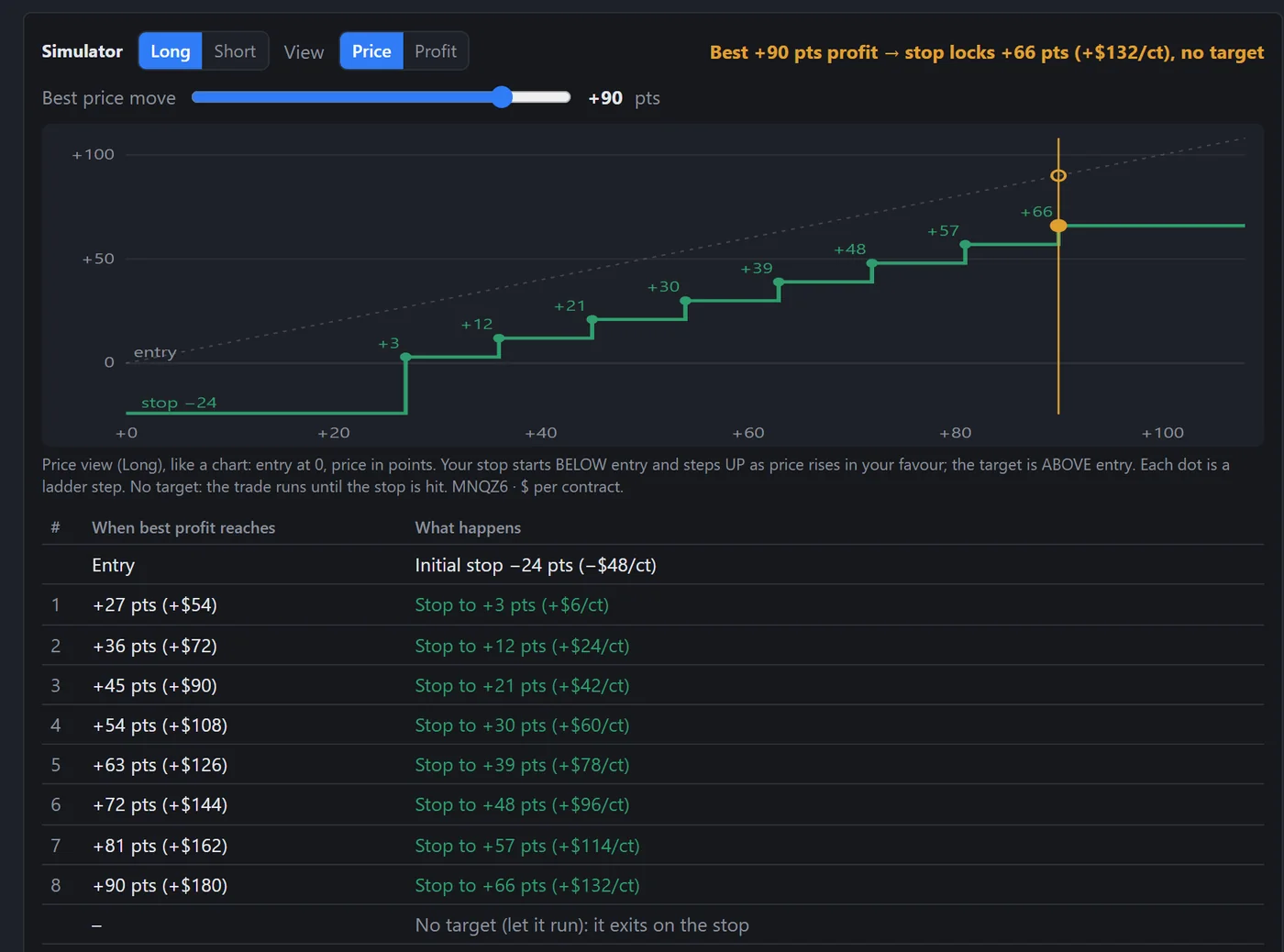 Example values · demo data
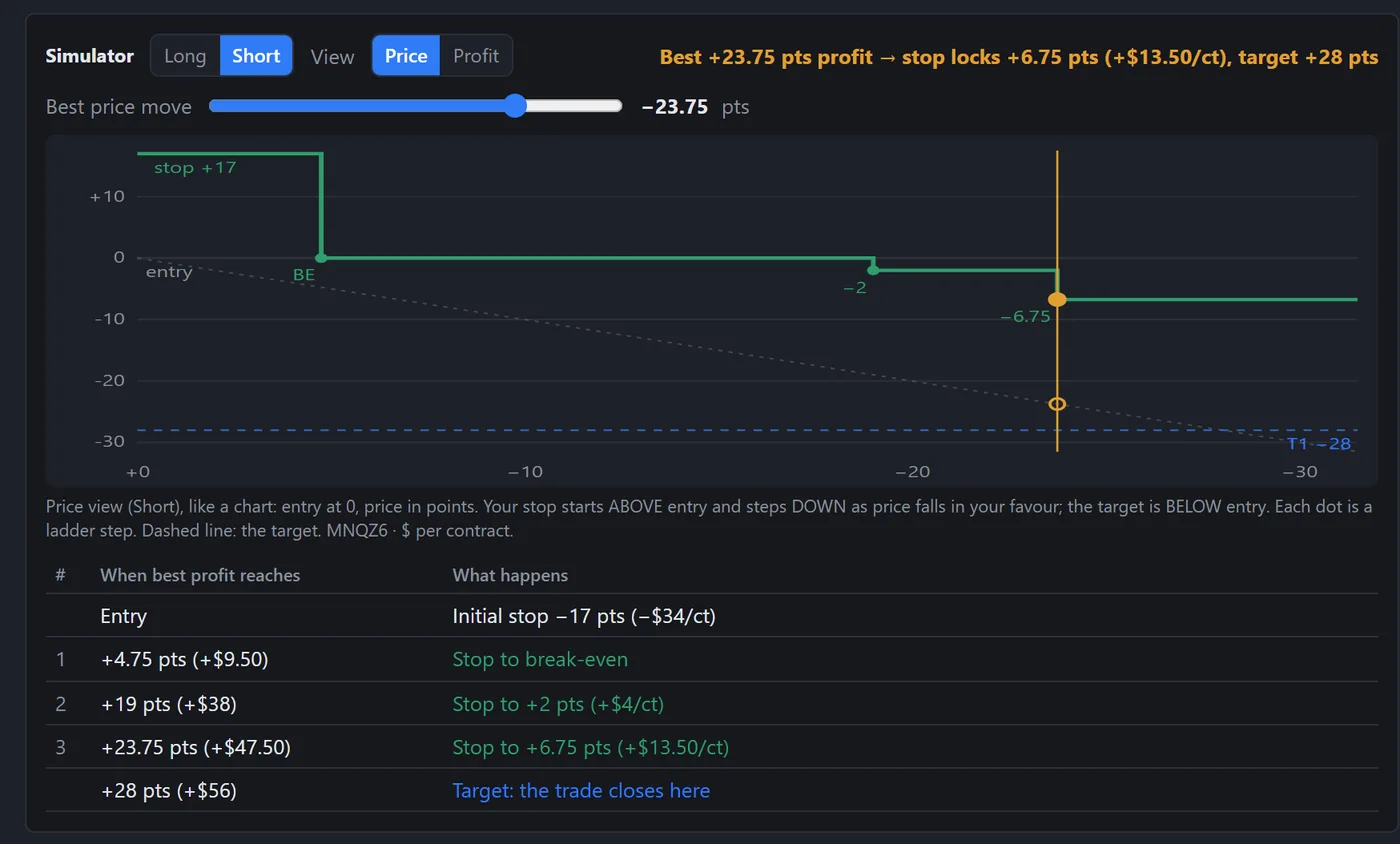 Example values
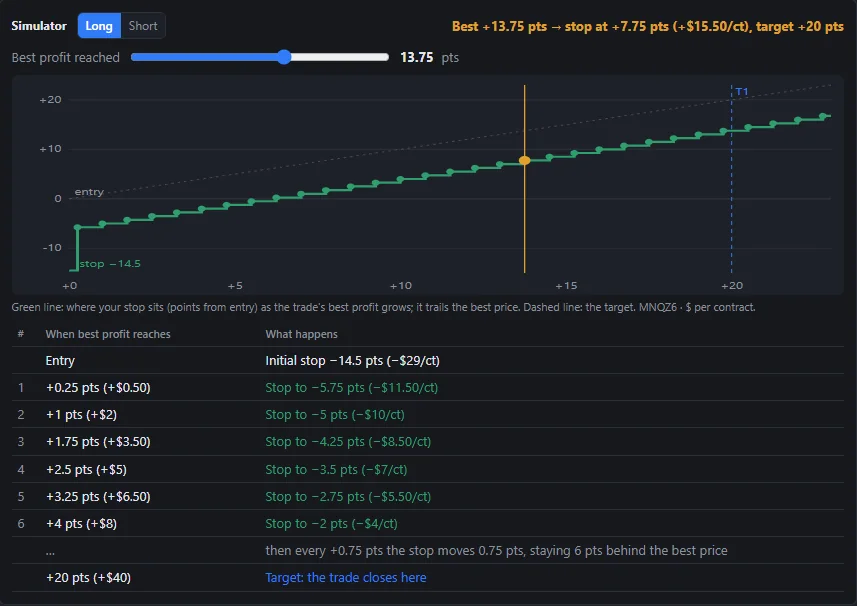 Example values
Why it’s different
Fitted to the candles, not to a preset.
No fixed numbers.
Every distance comes from the candles at the moment you Re-tune, not from a preset picked on a different day.
Regime-aware.
With a strong trend: a looser stop and room to run. Against it, or in chop: a tighter stop, an early break-even and a quick target. Volatility expanding: a wider stop that locks profit sooner.
One slot, not 50 ATMs.
Each Re-tune refreshes the same Live-Fit slot in place, so your ATM list never fills up with copies.
Save the ones you like.
“Save as my ATM” keeps a set for good: Long, Short or both.
Long and Short, separately.
The same market can call for different exits on each side, so each side gets its own plan.
Your limits.
An optional max stop per contract caps how wide a stop can get. Tuned values stay on the computer that tuned them.
Live-Fit sizes stops and targets to recent market movement. It doesn’t predict price or guarantee results.
Live-Fit questions
Which plans include Live-Fit?
Pro+ and Founders. On Pro the Live-Fit slot shows a lock.
Does Live-Fit predict the market?
No. It sizes stops and targets to recent market movement. It doesn’t predict price or guarantee results.
Where is it in the extension?
Settings → ATM Strategies → Live-Fit Ladder or Live-Fit Trail. Press Re-tune with your chart’s instrument open.
Does it enter trades for me?
Never. You pick the entry with the pad; Live-Fit only shapes the exit plan that goes with it.
Live-Fit comes with Pro+
$34/month or $340/year, 8-day free trial. Founders get it too.
Risk disclosure. Futures trading involves substantial risk of loss and isn’t suitable for every investor. Hotkey Trader is a software tool, not a broker or adviser, and gives no trading advice. Screens show demo accounts with simulated prices; nothing here is a promise of results. Not affiliated with Tradovate or NinjaTrader. Full risk disclosure.